Rocket Money without linking your bank: what you keep and what you lose
Rocket Money tracks subscriptions by connecting to your bank: you enter your online banking username and password through a third-party linking provider, and it reads your transactions. A manual tracker like Kelo tracks the same subscriptions without any bank access, but it won't detect charges or cancel them for you.
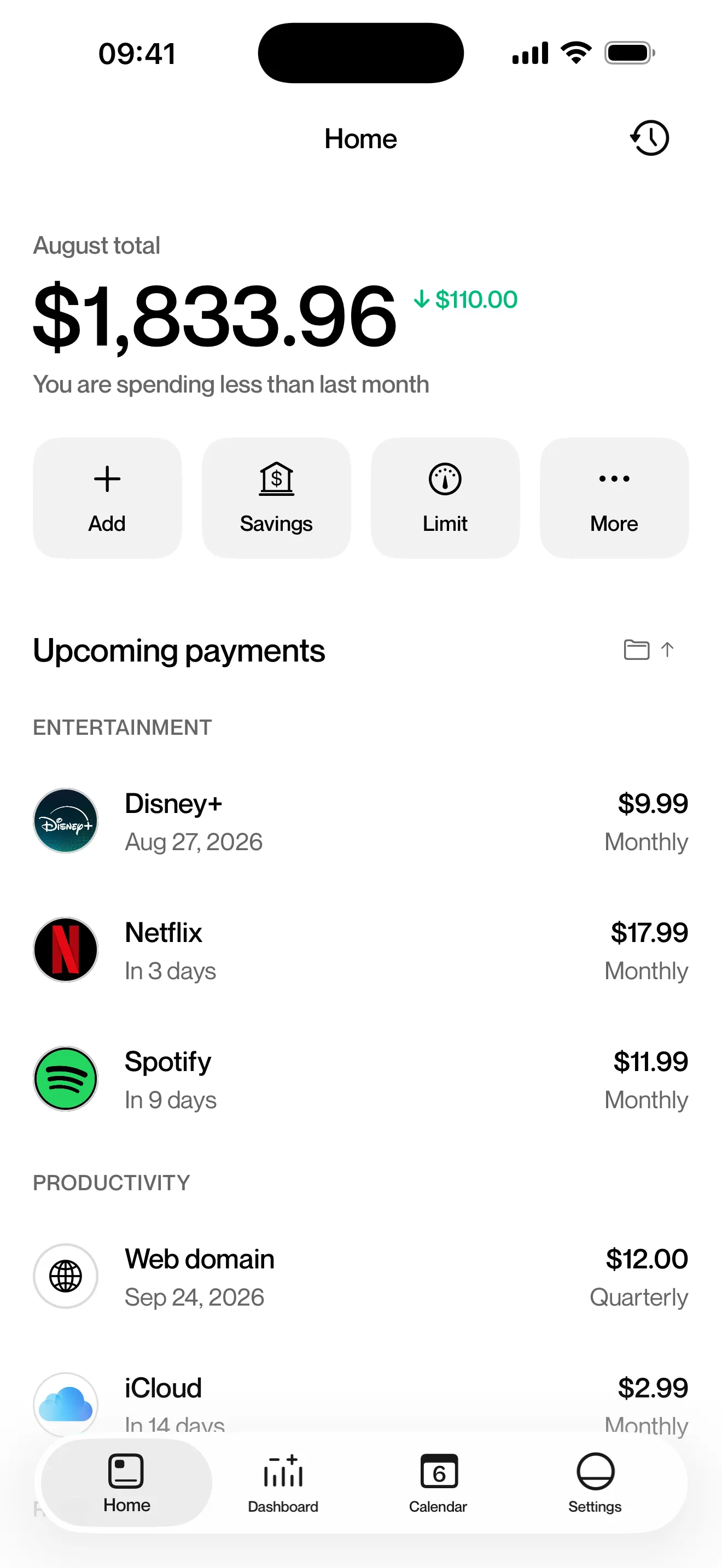

Kelo is our app, so we have a stake in this comparison. Each fact about Rocket Money links to its source and carries a date.
What Rocket Money needs from you
- Your online banking login. Rocket Money asks for “the username and password that you’d use to access your bank account online”, entered through a third-party linking provider (Rocket Money help center, April 2026).
- A day or two for some transactions. New transactions “usually appear right away, but it can take up to 24 to 48 hours” (same article).
- An account on the US App Store. On 19 September 2026, Rocket Money appears in the US App Store and not in the Canadian, British, Spanish or Mexican ones (App Store listing).
- Premium for part of it. The same listing sells Premium in the app at prices from $2.99 to $9.99 (September 2026).
What you give up without the bank link
- Automatic detection. Rocket Money says it “instantly finds and tracks your subscriptions” (rocketmoney.com). A manual tracker knows only the subscriptions you add. Five places to look for them.
- Someone to cancel and negotiate for you. Rocket Money offers a “Subscription Cancellation Assistant” and a concierge that negotiates some bills on your behalf (same page). Kelo does neither.
- The picture of all your accounts. Budgets that follow your real spending and a net worth view need the connection. Kelo sees what you log.
What you keep
You keep a list of your subscriptions and bills with their dates and prices, the total your month already owes, and a notice before each charge. Kelo builds all of that from what you enter, without any bank access.
The bank side has a blind spot too. A charge from apple.com/bill “could be for apps, subscriptions, music and movie purchases, or more from Apple” (Apple Support). A tracker that reads your statement sees Apple, while you know which subscriptions sit behind it. Apple bills subscriptions in four places.
Side by side
| Rocket Money | Kelo | |
|---|---|---|
| Bank connection | Yes: your online banking login, through a third-party provider | Never |
| How subscriptions get in | Detected from your transactions | You add each one |
| When you see a charge | Once it posts; the help center allows up to 24 to 48 hours | Before it happens |
| Cancels or negotiates for you | Yes | No |
| Where it works | US App Store | Any bank, 47 currencies, 10 languages |
| Price | Free download, Premium in the app from $2.99 to $9.99 | Free to start, Premium $4.99 a month or $39.99 a year |
If you’d rather not link your bank
- List what you pay, using the five places to check.
- Add each subscription to Kelo once, with its cycle.
- Turn on reminders (Premium) and cancel what you don’t use before the next charge.
Facts checked on
Loose ends
Does Rocket Money need my bank login?
Yes, to track your transactions. Its help center says you enter the username and password you use for online banking, through a third-party linking provider (April 2026).
Does Rocket Money work outside the US?
On 19 September 2026 it's listed only in the US App Store. It isn't in the Canadian, British, Spanish or Mexican stores.
How much does Rocket Money cost?
The app is free to download. Its US App Store listing sells Premium in the app at prices from $2.99 to $9.99 (September 2026).
What's a Rocket Money alternative that doesn't need my bank?
A manual subscription tracker. Kelo is one: you add each subscription once and, with Premium, it reminds you before each charge. Bobby is another option on iPhone.
Can a manual tracker cancel subscriptions for me?
No. Kelo tells you what's coming and when. You cancel with the provider, or in Settings on your iPhone for App Store subscriptions.